
Building My Friday
I spent a few weeks turning Claude Code from something useful but forgetful into a setup that knows my context, lives in my terminal, answers on Telegram, and carries memory across sessions.
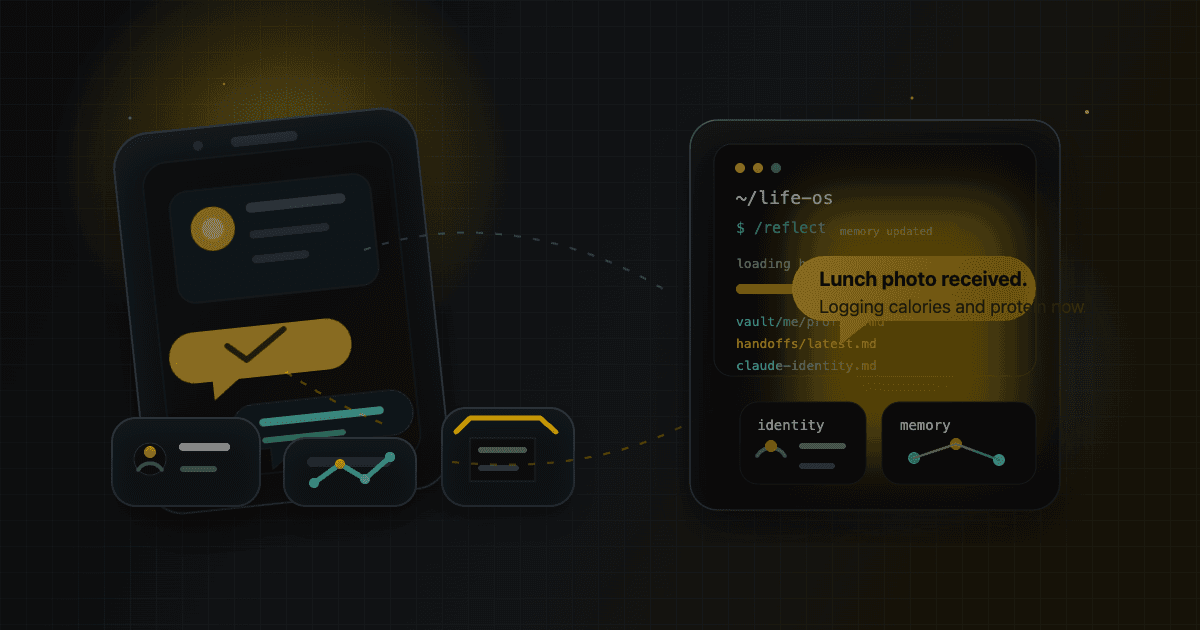
I've been using Claude Code as a daily driver for months. Long enough to know it's genuinely useful, and long enough to keep running into the same friction. It isn't completely stateless either. CLAUDE.md helps, and built-in memory helps. But in practice, a new conversation still felt like a partial reset. It didn't reliably carry forward what we built yesterday, what decisions we'd already made, or the preferences I kept repeating.
That started to bother me more than I expected.
Projects like OpenClaw and Hermes Agent already exist, so this wasn't about proving the idea was possible. They're already pushing in a direction I find really interesting: persistent agents you can reach through the channels you already use, with memory that survives across sessions.
But I still wanted to build my own Friday.
Part of it was practical. I wanted to own the process: where memory lives, what gets remembered, how the agent should behave, and how the whole thing evolves over time. Part of it was curiosity too. I wanted to try doing it myself and see what it actually takes to make one of these systems feel like a real long-term partner instead of just another wrapper around a model.
So I started fixing it piece by piece. This is the setup I ended up with.
Step 1: Put It on Telegram
The first thing I wanted was mobile access, because what I had in mind was something closer to Friday from Iron Man. I wanted to be able to message it the moment a thought showed up, whether I was at my desk or out somewhere.
Telegram fit that really well. I can send text, images, and whatever else is in front of me, and the chat window feels natural in a way most tool UIs don't. Claude Code has a Channels feature that lets you connect a Telegram bot to a running session, so I set that up. Now when I send a message on Telegram, it lands in the Claude Code session running in a tmux pane on my laptop, so I can keep using the same setup from my phone.
The connection drops sometimes, though. The bot goes quiet, messages stop arriving. The fix was simpler than I expected: running /clear through the terminal reconnects the channel without restarting anything. I still don't know exactly why this works, but it does.
Step 2: Dealing With the Context Window
Claude Code has a large context window, but the quality drops long before you get anywhere near filling it, which matches what a lot of other people have described online too. There's a smart zone, somewhere around 80k to 100k tokens, where it still works well, and then there's the dumb zone, where it starts missing things, dropping threads, and failing to make connections it would have made earlier in the session.
Once I started paying attention to that, I also wanted a reliable way to check how full the context window was. Claude Code kept telling me it couldn't do that directly, so my first workaround was to take a screenshot. That failed too: screencapture just kept giving me my desktop wallpaper because the Claude terminal was running in tmux in the background.
The actual fix was embarrassingly simple:
tmux capture-pane -t telegram:0.0 -p -S -50 | tail -5tmux capture-pane reads the pane content directly, whether or not it's visible on screen. That gave me a way to check context usage remotely instead of guessing.
You could hit /clear manually when you notice it feeling off, but that drops everything in the current session. The better move is to run /handoff first so the important bits survive, then /clear.
So I built a LaunchAgent that does this automatically. It runs every 4 hours, checks usage, and if I'm approaching the upper end:
- If I've been active recently: sends a Telegram message asking how to proceed
- If I've been idle: runs
/handoffto save a structured summary, then/clearto reset
The tmux session stays alive throughout. The conversation resets, but the handoff document carries forward everything important. It's basically a shift handoff: same situation, fresh context window, written briefing.
Activity detection is simple:
# In ~/.claude/settings.json hooks:
"UserPromptSubmit": [{
  "hooks": [{
    "type": "command",
    "command": "date +%s > /path/to/last-telegram-activity"
  }]
}]
Every time I send a message, it writes a timestamp. The LaunchAgent checks whether that timestamp is within the last 10 minutes before deciding to auto-clear.
Step 3: Memory That Travels With You
Claude Code's auto-memory system stores notes in ~/.claude/projects/<project-path>/memory/. That's fine until you get a new computer and realize those memories don't come with you.
I wanted memory that lives with the project, not the machine. So I used Obsidian as the storage layer: a local markdown vault that lives inside the repo itself. I ended up with three layers.
Layer 1: Who I am and how to work with me (vault/me/)
This is the stable layer. Things that rarely change: who I am, what I care about, how I like to work, commit conventions, rules I've built up over time. These live in profile.md, collaboration.md, and claude-identity.md, and are wired into the repo's memory setup so the relevant parts can be pulled in when needed.
The nice part is that git clone is all you need to bring that context to a new machine. The setup travels with the repo.
Layer 2: What's happening right now (memory/)
Project state, sprint progress, current goals, technical decisions. Things that are true now but will change. This layer updates more often and lives outside the Obsidian vault because I didn't want the vault turning into a junk drawer, but it still stays in the repo so it's portable.
Layer 3: Life phase snapshot (vault/me/memory-summary.md)
This one exists to answer a simple question for a brand-new session: where am I in life right now? Current projects, key decisions over the past few months, daily schedule, near-term milestones. I update it every few weeks or whenever something major shifts.
Together, the handoff says what happened last time, the memory summary says what phase I'm in, and the profile says who I am. A new session can get oriented without starting from zero.
Step 4: /reflect
Having memory files is useful. Keeping them updated is harder. So I built a /reflect command that reviews the current conversation and looks for anything worth capturing: shifts in how decisions get made, things that are working or not working, changes in project state. It scans both vault/me/ and memory/, so it covers everything in one pass.
After one session, it noted something I'd never have written down myself but immediately recognized as true: that I challenge proposals carefully and expect edge cases to be thought through before they're presented.
Step 5: Giving It a Stable Voice
This part was influenced by OpenClaw. It got me thinking more seriously about using an agent as a real long-term companion, which is why identity and a name started to matter.
So I wrote an identity document for it, alongside the more practical collaboration rules I was already building. The identity side covered things like its role, its voice, and what this relationship was actually for. That combination made the behavior feel much more consistent, and it also made the interaction feel more like I was talking to a partner.
I also asked it to choose its own name. It picked 曦 (Xī), meaning "dawn light." Slightly theatrical, sure, but I liked the reasoning: each session starts fresh, but not empty.
What Changed Day to Day
The biggest improvement is that collaboration got smoother in ways I actually notice day to day. A thought shows up when I'm away from my desk, I send it through Telegram. A session gets messy, I hand it off and clear it. I come back later, and I'm not spending the first part of the conversation rebuilding the same context again.
The more interesting part is that this whole workflow is still evolving. It isn't something I set up once and got right immediately. I keep talking to Claude, noticing where it forgets something or handles a routine badly, then adjusting the instructions, memory, or commands until the collaboration feels a little more natural.
Health tracking is a good example. Early on, I could send a photo of my food or tell it what I ate, and it would still forget that it was supposed to log it, estimate the calories, and keep track of the day's intake unless I reminded it. After enough /reflect runs, plus a few times where I explicitly told it to remember that workflow, that started to stick. Now if I send a meal photo and say what I ate, it usually knows to log it, estimate the calories, and update the day without me having to ask twice.
What I Got Wrong
My assumption going in was that AI would get capable enough eventually, and then I'd start using it seriously. The productivity gains would be obvious and I'd adapt quickly. After building this, I think that framing was wrong.
The most valuable thing isn't the model's raw capability. It's the accumulated understanding of you. Every conversation where the AI learns how you think, what you care about, how you make decisions, that's compounding. You can't shortcut it by switching to a smarter model later. That record has to be built over time.
When more capable models arrive, the question won't be "how do I get this AI to understand me." It'll be "here's everything it already knows about me, here's what it's been observing." That changed how I think about when to start.
What's Next
The other thing I've been experimenting with is using Claude to maintain a personal knowledge wiki, inspired by a pattern Andrej Karpathy wrote about. Instead of searching through raw notes every time I need something, Claude reads new sources and continuously updates a set of wiki pages. Knowledge compounds across sessions instead of resetting.
It's early, but interesting enough to deserve its own post. More on that soon.